A few years ago, a colleague of mine spent an entire afternoon setting up what he thought was a “secure file transfer” for his company’s client data. He picked the option that looked familiar, got it running, and felt confident the job was done right.
Three weeks later, their IT auditor flagged the setup as non-compliant. The firewall configuration was a mess, the encryption was inconsistent, and the whole thing had to be rebuilt from scratch.
The problem was simple. He had confused SFTP and FTPS. They sound almost identical. Both have “FTP” in the name. Both claim to be secure. But they are fundamentally different technologies built on completely different foundations, and choosing the wrong one for your situation can cause real headaches.
Many people first assume that SFTP is just “FTP with an S added,” the same way HTTPS is HTTP with security added. That assumption leads to the wrong choice more often than most beginners realize.
This guide explains everything in simple English with practical examples so you can clearly understand the real difference.
What Is SFTP?
SFTP stands for SSH File Transfer Protocol. Despite the name, it has nothing to do with traditional FTP. It is a completely separate protocol built on top of SSH, which stands for Secure Shell.
SSH is a cryptographic network protocol that has been used for decades to securely access remote computers and servers. SFTP was developed as an extension of SSH specifically to handle secure file transfers. Think of it as a secure file-management capability that piggybacks on the SSH connection.
When you connect via SFTP, you are opening a single encrypted SSH connection. Everything happens through that one channel, including authentication, commands, and file data. The connection runs on port 22 by default, which is the standard SSH port.
SFTP was developed by the Internet Engineering Task Force (IETF) and became a core part of the SSH-2 protocol. Today it is one of the most widely used methods for secure file transfer in Linux and Unix environments, web hosting management, and automated server-to-server transfers.
SFTP does more than just transfer files. It also allows you to list directories, rename files, delete files, and manage file permissions, all through the same encrypted connection. In that sense, it works more like a remote file management system than a simple file transfer tool.
Who uses SFTP:
- Web developers uploading files to Linux-based servers
- System administrators managing remote servers
- DevOps teams automating deployment pipelines
- Businesses transferring sensitive data between servers
- Anyone working primarily in a Linux or Unix environment
What Is FTPS?
FTPS stands for FTP Secure, sometimes also written as FTP-SSL. Unlike SFTP, FTPS is a direct extension of the original FTP protocol. It takes the traditional File Transfer Protocol and adds a layer of SSL or TLS encryption on top of it.
Traditional FTP was created in the early 1970s and transfers data in plain text, which means anyone intercepting the connection can read usernames, passwords, and file contents. FTPS fixes this by wrapping those same FTP connections in SSL/TLS encryption, the same technology that secures HTTPS websites.
FTPS comes in two modes. Explicit FTPS (also called FTPES) starts as a plain FTP connection and then upgrades to an encrypted connection when the client requests it. Implicit FTPS assumes encryption from the very first connection and typically uses port 990. Most modern implementations use Explicit FTPS on port 21.
Because FTPS is built on traditional FTP, it inherits FTP’s multi-channel architecture. The control channel handles commands and responses. The data channel handles actual file transfers. These are two separate connections, which creates some important practical differences compared to SFTP.
FTPS has been around since the 1990s and is still widely used in financial services, healthcare, and enterprise environments, particularly where existing FTP infrastructure is already in place and needs to be secured without a complete overhaul.
Who uses FTPS:
- Financial institutions and banks with legacy FTP systems
- Healthcare organizations transferring patient records
- Enterprise environments with established FTP workflows
- Businesses that need to comply with standards like PCI-DSS or HIPAA
- Windows-heavy environments where FTP tooling is common
Quick Comparison Table
| Feature | SFTP | FTPS |
|---|---|---|
| Full name | SSH File Transfer Protocol | FTP Secure (FTP over SSL/TLS) |
| Based on | SSH (Secure Shell) | Traditional FTP + SSL/TLS |
| Default port | 22 (single port) | 21 (control), plus dynamic data ports |
| Number of connections | Single connection | Two connections (control + data) |
| Encryption | SSH encryption (AES, etc.) | SSL/TLS encryption |
| Authentication | Password or SSH key pairs | Password or SSL/TLS certificates |
| Firewall friendliness | Very easy (one port) | Difficult (multiple dynamic ports) |
| NAT traversal | Simple | Complicated |
| Certificate required | No (uses SSH keys) | Yes (for server-side authentication) |
| Commands supported | File management + transfer | Transfer focused |
| Platform origin | Linux/Unix environments | Windows/legacy enterprise |
| Complexity to set up | Simple | More complex |
| Binary or text mode | Binary only | Both binary and ASCII modes |
| Passive mode needed | No | Yes, for firewall compatibility |
| Common use case | Web hosting, server admin | Finance, healthcare, enterprise |
The Biggest Difference
Here is the simplest way to understand the real distinction.
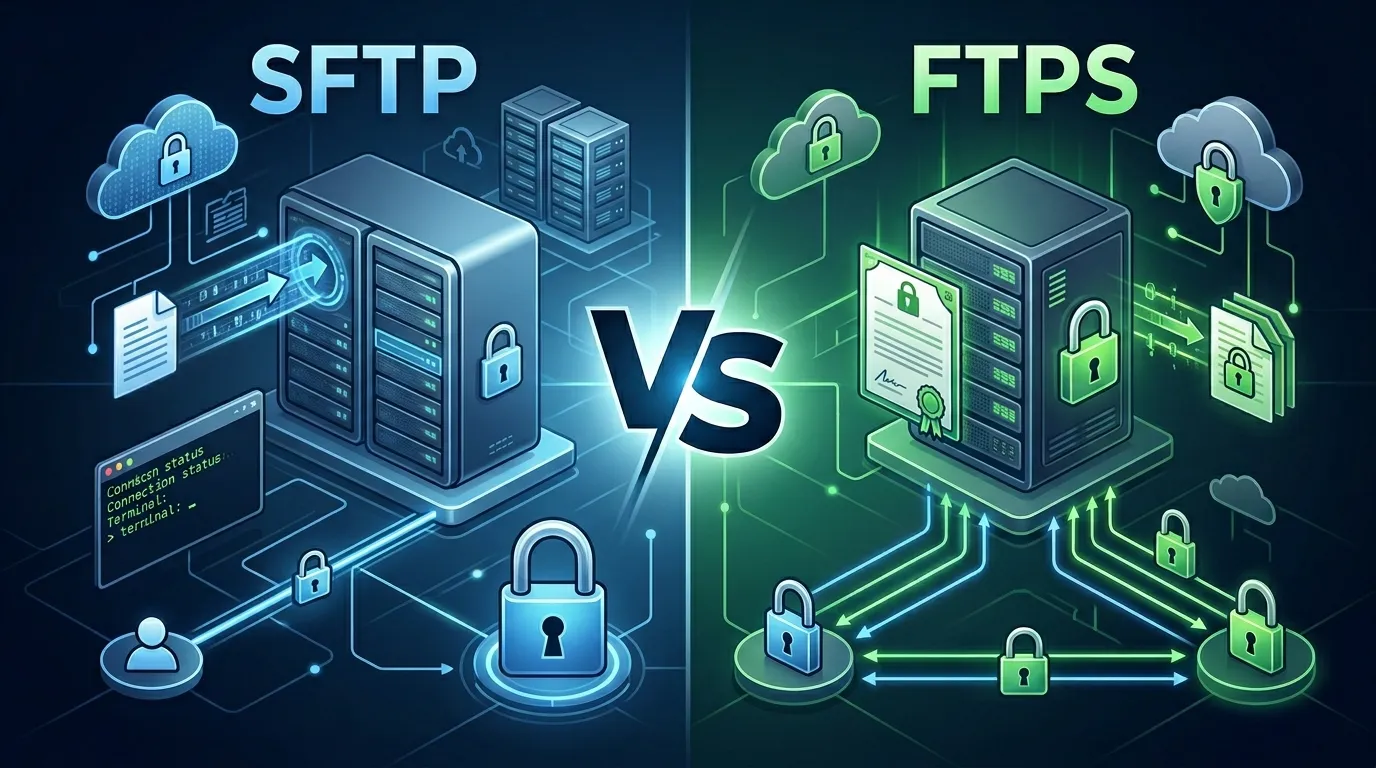
SFTP and FTPS are both secure file transfer methods, but they come from completely different worlds.
SFTP is a modern, clean protocol built entirely on SSH. It uses one port, one connection, and one unified encryption system. It was designed from the ground up to be secure.
FTPS is traditional FTP with security bolted on afterward. It uses multiple ports, multiple connections, and requires SSL/TLS certificates. It was designed to make old FTP infrastructure compliant with modern security standards without replacing it entirely.
The practical impact of this difference shows up most clearly when dealing with firewalls and network security. SFTP is almost always easier to configure because you only need to open one port. FTPS can require opening a range of dynamic ports, which makes firewall rules more complex and sometimes creates serious security vulnerabilities if not configured carefully.
For most modern use cases, SFTP is simpler, cleaner, and easier to secure. FTPS makes more sense when you are working within an existing enterprise environment that already relies on FTP infrastructure.
Key Differences Explained
1. Underlying Protocol and Origin
This is where everything starts.
SFTP was built entirely independently of FTP. Despite sharing those three letters, SFTP has no technical relationship to the original File Transfer Protocol. It was designed as part of the SSH-2 specification and works as a subsystem of SSH. If you are already using SSH to access a server, SFTP comes along for free.
FTPS is literally FTP with encryption layered on top. Every command, every response, every data packet follows the same FTP structure from the 1970s. The only addition is that those packets are now wrapped in SSL/TLS before being sent. This means FTPS carries all the legacy behaviors of FTP, including its multi-channel design.
This distinction matters more than many beginners realize. When something goes wrong with SFTP, you are debugging an SSH issue. When something goes wrong with FTPS, you are debugging an FTP issue that also involves SSL/TLS certificates. The troubleshooting paths are completely different.
2. Port Usage and Firewall Configuration
This difference causes more real-world headaches than any other.
SFTP uses a single port: port 22. One port opens, one encrypted tunnel forms, and everything travels through it. Firewall rules are simple. You open port 22 and everything works.
FTPS uses port 21 for the control connection, but file transfers happen over a separate data connection. In passive mode (the most common modern approach), the server tells the client to connect on a randomly assigned high port, often somewhere in the range of 49152 to 65535. Your firewall has to either allow that entire port range or use application-layer inspection to track these dynamic connections.
In real-world use, this creates genuine problems. Many organizations end up opening huge port ranges on their firewalls just to make FTPS work reliably. Security teams often push back against this. SFTP avoids the issue entirely.
3. Authentication Methods
SFTP supports two primary authentication methods. The first is standard username and password. The second is SSH key-based authentication, where a cryptographic key pair (public and private key) is used instead of a password. Key-based authentication is generally considered more secure because it removes the risk of password guessing or interception entirely.
FTPS relies on username and password authentication combined with SSL/TLS certificates. The server presents a certificate (similar to how HTTPS websites present certificates) and the client can verify the server’s identity before connecting. Client certificate authentication is also possible but less commonly used.
For automated processes and scripts, SFTP with key-based authentication is often preferred because it allows secure, passwordless connections that do not require storing credentials anywhere in the script.
4. Encryption Approach
Both protocols provide strong encryption, but they do it differently.
SFTP uses SSH encryption. Modern SSH implementations use AES (Advanced Encryption Standard), ChaCha20, and other modern ciphers. The SSH handshake, authentication, and data transfer are all secured within the same cryptographic framework.
FTPS uses SSL/TLS encryption, the same technology behind HTTPS. This means FTPS encryption is directly tied to the SSL/TLS ecosystem, including certificate authorities, certificate expiration, and certificate renewal. If your FTPS certificate expires and you forget to renew it, connections may fail or generate warnings.
Both encryption approaches are considered secure when properly configured. The main practical difference is management overhead. SSL/TLS certificates need periodic renewal. SSH keys typically do not expire unless you configure them to.
5. File Management Capabilities
SFTP is a full remote file management protocol. Through a single SFTP session, you can transfer files, list directory contents, create and delete directories, rename files, move files, and change file permissions. It behaves somewhat like a remote file system manager.
FTPS, being based on traditional FTP, is more limited in this respect. It handles file transfers and basic directory operations, but its command set is tied to the original FTP specification. Some FTPS clients provide extended functionality, but the protocol itself is more narrowly focused on moving files from point A to point B.
For system administrators who need to do more than just transfer files, SFTP’s broader feature set is genuinely useful.
6. Platform and Ecosystem
SFTP is deeply embedded in the Linux and Unix ecosystem. Every major Linux server runs an SSH daemon by default, which means SFTP is essentially available out of the box on most servers without any additional software installation.
FTPS has stronger roots in Windows environments and legacy enterprise systems. Many older enterprise software packages, EDI (Electronic Data Interchange) systems, and financial platforms were built around FTP and were upgraded to FTPS rather than migrated to an entirely different protocol.
After using both for some time, most developers working in mixed environments settle on SFTP for its simplicity, while IT teams managing older enterprise integrations often stick with FTPS because their systems were built around it.
7. NAT and Network Address Translation
This is one small difference most people overlook until it causes a problem.
NAT is used in most modern networks to share a single public IP address among many private devices. SFTP works perfectly with NAT because it uses a single connection on a fixed port.
FTPS struggles with NAT because of the dynamic data channel. The server tells the client to connect back on a specific IP and port, but if the server is behind NAT, that IP may be wrong from the client’s perspective. Fixing this requires careful configuration of the FTPS server to advertise its public IP, and even then, passive mode port ranges need to be carefully configured and exposed through the firewall.
8. Error Handling and Reliability
SFTP has more robust built-in error handling. Because all communication happens through a single SSH channel, packet ordering, acknowledgment, and error recovery are handled at the SSH layer automatically.
FTPS inherits FTP’s older error-handling model, which is less sophisticated by modern standards. Network interruptions during a large file transfer can sometimes leave partial files without clear error reporting, depending on the client and server implementation.
9. Compliance and Industry Standards
Both SFTP and FTPS are accepted in major compliance frameworks including PCI-DSS (Payment Card Industry Data Security Standard) and HIPAA (Health Insurance Portability and Accountability Act), as long as they are properly configured with strong encryption and appropriate authentication.
Some legacy compliance systems were written specifically around FTP and FTPS because those standards existed before SFTP became widespread. Financial institutions and healthcare organizations often use FTPS specifically because their compliance documentation was written around it.
10. Software and Client Support
Both protocols enjoy wide software support.
Common SFTP clients include FileZilla, WinSCP, Cyberduck, and command-line tools on Linux and macOS. Most managed file transfer (MFT) platforms support SFTP natively.
FTPS is also supported by FileZilla, WinSCP, and most enterprise file transfer software. However, configuring FTPS clients correctly, particularly the passive mode settings and certificate validation, tends to require more attention than setting up SFTP.
Similarities Between SFTP and FTPS
Despite their differences, SFTP and FTPS share several important characteristics, which explains why they are so frequently confused.
Both provide encrypted file transfer over a network. Neither sends data in plain text. Both can be used for secure automated file transfers in scripts and scheduled tasks. Both support authentication and access control. Both are widely supported by popular file transfer clients. Both are acceptable for regulatory compliance in most industries. Both can transfer files of any type and any size.
The confusion is also fueled by the naming. SFTP sounds like “Secure FTP.” FTPS sounds like “FTP Secure.” They feel like two names for the same idea. But once you understand the underlying architecture, the distinction becomes very clear.
Pros and Cons
Pros of SFTP
- Single port makes firewall configuration simple
- Works natively on any server with SSH enabled
- Supports SSH key-based authentication (no passwords needed)
- Full file management capabilities beyond just transferring files
- No SSL/TLS certificates to manage or renew
- Works smoothly with NAT and most network configurations
- Strong error handling through SSH infrastructure
Cons of SFTP
- Not universally supported by older enterprise and EDI systems
- Some legacy financial platforms do not support SFTP
- SSH key management can be complex in large organizations
- Less familiar to teams with a traditional FTP background
Pros of FTPS
- Backward compatible with existing FTP infrastructure
- Uses SSL/TLS certificates, familiar to security teams managing HTTPS
- Widely accepted in financial and healthcare compliance frameworks
- Both explicit and implicit modes offer flexibility
- Strong enterprise software support
Cons of FTPS
- Multi-port design creates firewall and NAT complications
- SSL/TLS certificates require monitoring and renewal
- Dynamic data channel ports can create security vulnerabilities if misconfigured
- More complex to configure correctly than SFTP
- Carries the legacy complexity of the original FTP protocol
Which Is Better for Different Situations?
For beginners and individual developers: SFTP is almost always the better starting point. If you have a Linux-based web server or VPS, SFTP is probably already available without installing anything extra. The single-port setup is easy to manage, and key-based authentication is straightforward to configure.
For enterprise environments with legacy FTP systems: FTPS is the practical choice when you already have FTP infrastructure and need to add security without a full migration. Rebuilding every integration from scratch to support SFTP is expensive and time-consuming.
For automated scripts and DevOps pipelines: SFTP with key-based authentication is ideal for automated processes. You can configure passwordless connections securely without storing credentials in scripts.
For financial institutions and healthcare: Either protocol works for compliance, but FTPS is often already embedded in the workflows and partner agreements of these industries. Switching to SFTP is possible but requires coordination with all connected partners.
For teams behind strict firewalls: SFTP wins clearly. Opening one port versus managing dynamic port ranges for FTPS is a much simpler and safer firewall configuration.
For Windows-heavy environments: Both are available on Windows, but FTPS tends to have slightly deeper integration with Windows-native tools and older enterprise software packages.
Common Mistakes People Make
Thinking SFTP is just “FTP over SSH.” Many people assume SFTP is the same as tunneling FTP through SSH. It is not. SFTP is a completely separate protocol. FTP over SSH is technically possible but different from SFTP.
Confusing FTPS with SFTP because of the similar names. This is the single most common mistake. When someone says “we use secure FTP,” you need to ask which one. The answer changes your firewall rules, your authentication setup, and your client configuration entirely.
Assuming either protocol is automatically secure. Both SFTP and FTPS can be misconfigured. Weak passwords, expired certificates, allowing old SSL versions, or disabling certificate verification are all mistakes that eliminate the security benefits of either protocol.
Opening too many firewall ports for FTPS. Some beginners, frustrated with FTPS connection failures, solve the problem by opening enormous port ranges on their firewall. This works but creates real security risk. The right solution is careful passive mode port configuration and server IP advertisement.
Neglecting FTPS certificate renewal. SSL/TLS certificates expire. Some users later regret not setting up renewal alerts. An expired certificate can break all FTPS connections suddenly, often at the worst possible moment.
Using password authentication for automated SFTP transfers. Storing passwords in scripts or configuration files is a security risk. For automated SFTP, SSH key authentication is the correct approach and is no harder to set up once you understand it.
Expert Recommendation
Choose SFTP if:
- You are working with Linux or Unix servers
- You want simple firewall configuration with a single port
- You need to automate file transfers without storing passwords
- You are setting up new infrastructure from scratch
- You need both file transfer and remote file management
- You want to avoid managing SSL/TLS certificates
Choose FTPS if:
- You have existing FTP infrastructure that needs to be secured
- Your trading partners or clients specifically require FTPS
- You work in a Windows-centric enterprise environment
- Your compliance documentation is built around FTP/FTPS standards
- Your industry partners do not support SFTP
Avoid SFTP if:
- Your business partners or legacy systems only support FTPS or traditional FTP
- Your team is deeply familiar with FTP workflows and FTPS is easier to adopt
Avoid FTPS if:
- You are behind a strict NAT or stateful firewall without application-layer FTP inspection
- You do not have a process to monitor and renew SSL/TLS certificates
- You are building new infrastructure and have no legacy FTP dependency
Final Verdict
SFTP and FTPS both solve the same core problem: transferring files securely over a network. But they arrive at that solution from completely different directions.
SFTP is the modern, clean choice. It runs on a single port, uses SSH encryption and key-based authentication, and is simple to configure in almost any environment. For most developers, web hosting work, and new infrastructure projects, SFTP is the right answer.
FTPS is the practical choice when legacy matters. If your organization has years of FTP workflows, partner integrations built around FTP, or compliance documentation tied to FTP standards, FTPS lets you add encryption without tearing everything down and starting over.
The mistake is treating them as interchangeable. They are not the same protocol, they do not behave the same way, and they do not have the same configuration requirements. Knowing which one you need before you start building saves significant time and frustration.
Frequently Asked Questions:
Q: What is the main difference between SFTP and FTPS?
SFTP is a file transfer protocol built on SSH, using a single encrypted connection on port 22. FTPS is traditional FTP with SSL/TLS encryption added, using multiple connections and ports. Despite the similar names, they are completely different technologies. SFTP is generally simpler to configure, especially with firewalls, while FTPS is more common in legacy enterprise environments.
Q: Which is more secure, SFTP or FTPS?
Both provide strong encryption and are considered secure when properly configured. SFTP uses SSH encryption and supports key-based authentication, which eliminates password-related risks. FTPS uses SSL/TLS and requires certificate management. Neither is inherently more secure, but SFTP is harder to misconfigure in ways that weaken security, making it the safer choice for most beginners and new deployments.
Q: Is SFTP easier to set up than FTPS?
For most situations, yes. SFTP requires opening just one port (port 22) and is often available by default on Linux servers. FTPS requires managing SSL/TLS certificates, configuring passive mode port ranges, and adjusting firewall rules for multiple ports. SFTP’s single-port architecture is significantly easier to configure, especially in environments with strict firewall rules.
Q: Can SFTP and FTPS be used together?
Yes. Many file transfer servers support both protocols simultaneously. Organizations often run both to accommodate different clients and partners. Some clients may only support one protocol, so offering both maximizes compatibility. Tools like FileZilla Server, ProFTPD, and most enterprise managed file transfer platforms support enabling both SFTP and FTPS on the same server.
Q: Which protocol should I use for compliance with PCI-DSS or HIPAA?
Both SFTP and FTPS are accepted for PCI-DSS and HIPAA compliance when properly configured with strong encryption and appropriate authentication. The key is correct configuration, not which protocol you choose. Many financial and healthcare organizations use FTPS because their legacy systems were built around FTP. New deployments often choose SFTP for its simpler security model.
Q: Does SFTP use port 22 or port 21?
SFTP uses port 22, which is the standard SSH port. This is different from FTP and FTPS, which use port 21 for the control connection. The fact that SFTP runs on port 22 is one of the clearest signs that it is an SSH-based protocol with no direct relationship to traditional FTP, despite the similar name.
Q: What is the difference between SFTP and SCP?
Both SFTP and SCP (Secure Copy Protocol) are built on SSH and use port 22. SCP is simpler and only copies files from one location to another. SFTP is more feature-rich and supports file management operations like listing directories, renaming, deleting, and changing permissions. For simple file copying, SCP is fast and lightweight. For anything more interactive, SFTP is more capable.
Q: Which is better for automated file transfers in scripts?
SFTP with SSH key-based authentication is generally better for automated transfers. You can configure passwordless connections using SSH key pairs, which is more secure than storing passwords in scripts. FTPS automation requires either storing credentials or using certificate-based authentication, which adds more configuration overhead. Most scripting tools and DevOps platforms have strong built-in SFTP support.
Conclusion:
Choosing between SFTP and FTPS is not just a technical preference. It is a decision that affects your firewall rules, your authentication setup, your certificate management, and your compatibility with clients and partners.
SFTP, built on SSH, is the cleaner and more modern option, ideal for new projects, Linux environments, and automated workflows.
FTPS, built on legacy FTP with SSL/TLS added, is the practical choice for organizations with existing FTP infrastructure or compliance frameworks tied to FTP standards. Both are secure when configured correctly.
The key is understanding that despite their similar names, they are fundamentally different technologies requiring different setups and different approaches. Pick the one that fits your actual environment, not just the one with the more familiar-sounding name.

I am William Strunk Jr an American professor of English and the author of the classic style guide the Elements of Style. He emphasized clarity, brevity, and proper grammar in writing, influencing generations of writers. Learn more about his work and writing tips at wordrar.com.